MCP (Model Context Protocol) is the standard way to plug AI agents into company systems: CRMs, ERPs, databases, internal APIs. The design question that matters most is simple: for each thing you expose, who should be in control of it?
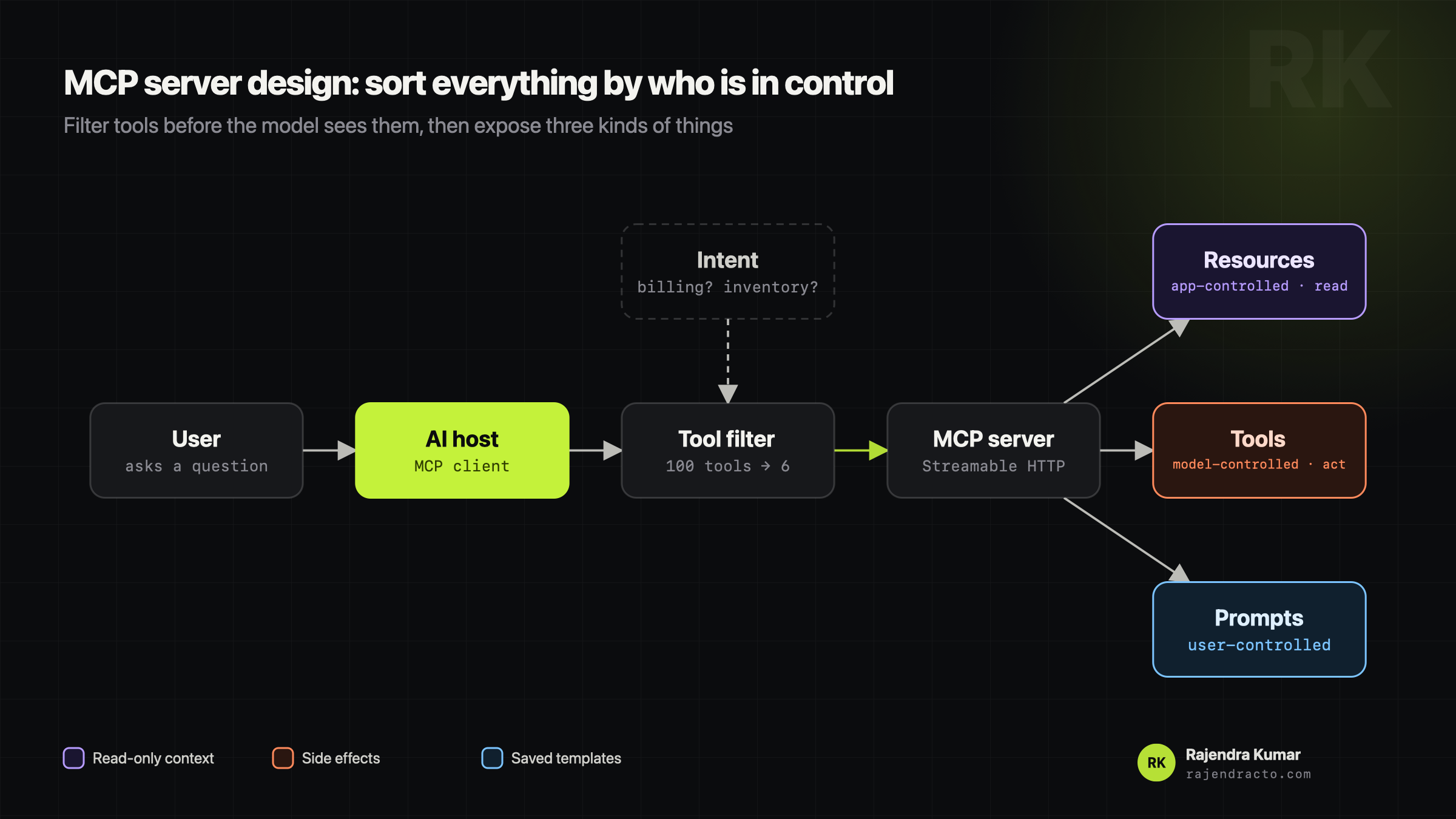
Sort everything by who is in control
- Resources are read-only context the app feeds to the model: customer profile, policy docs, a database schema. No side effects. If the model only needs to read, make it a resource or a read-only tool, not a raw SQL tool.
- Tools are actions the model decides to take: create a ticket, check inventory, draft a refund. These have side effects, so they get strict input schemas and permission checks.
- Prompts are saved templates a person picks, like
/audit-billing-dispute, so the team runs common workflows the same way every time.
Transport: stdio or HTTP?
stdio is for local tools running as a subprocess on the same machine, like a dev tool in your editor. One gotcha: never print logs to stdout there, because stdout is the protocol channel.
For a company deployment I use Streamable HTTP, so the server runs remotely, scales horizontally behind a gateway and serves many users.
Don't hand the model 100 tools
If a company exposes 100 internal APIs, dumping all 100 tool schemas into the context confuses the model, makes it pick the wrong tool and wastes tokens on every call.
Instead, the host filters first: it works out what the user is trying to do (billing? inventory?) and only passes the 5 or 6 tools that matter. You can do that with simple routing rules or with semantic search over tool descriptions.
Key takeaways
- 01Resources read, tools act, prompts are templates.
- 02Streamable HTTP for shared servers, stdio for local tools.
- 03Filter tools by intent before the model ever sees them.