Free Chrome extension
See what a website tracks before visitors say yes.
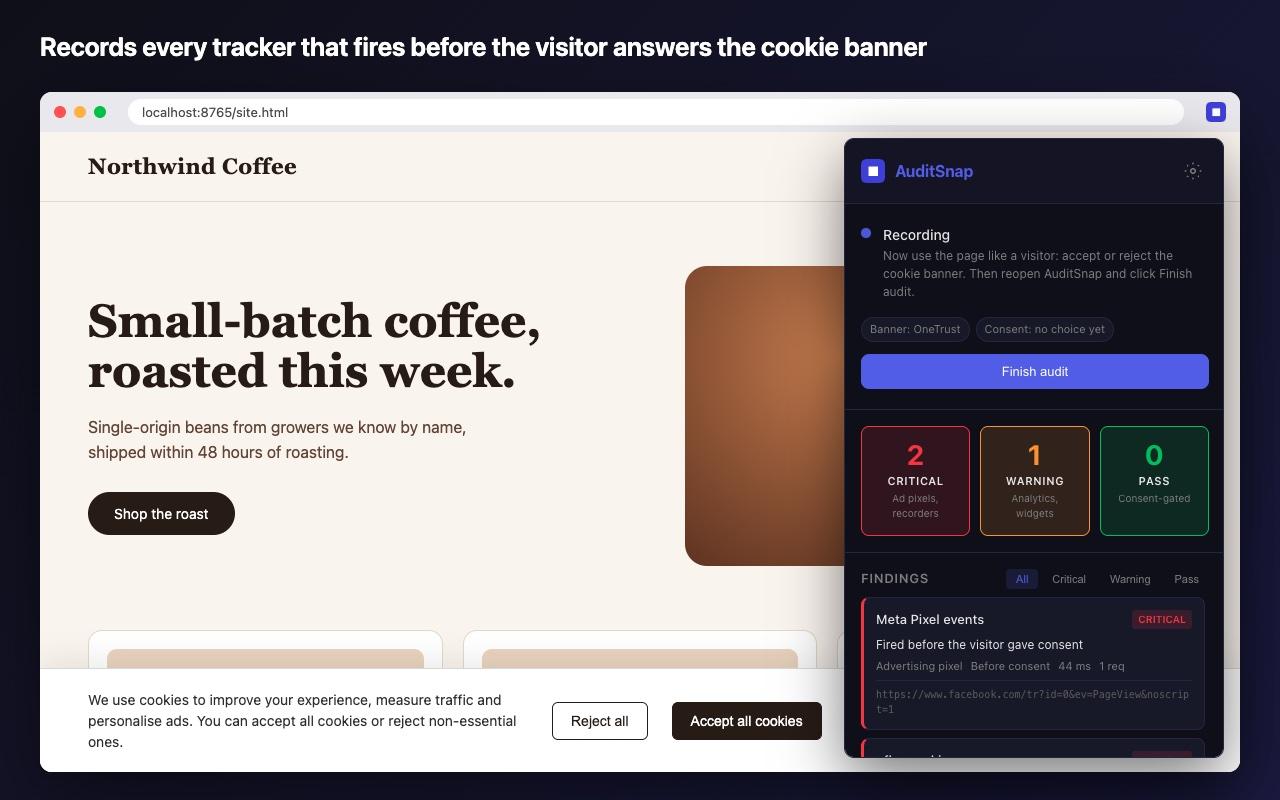
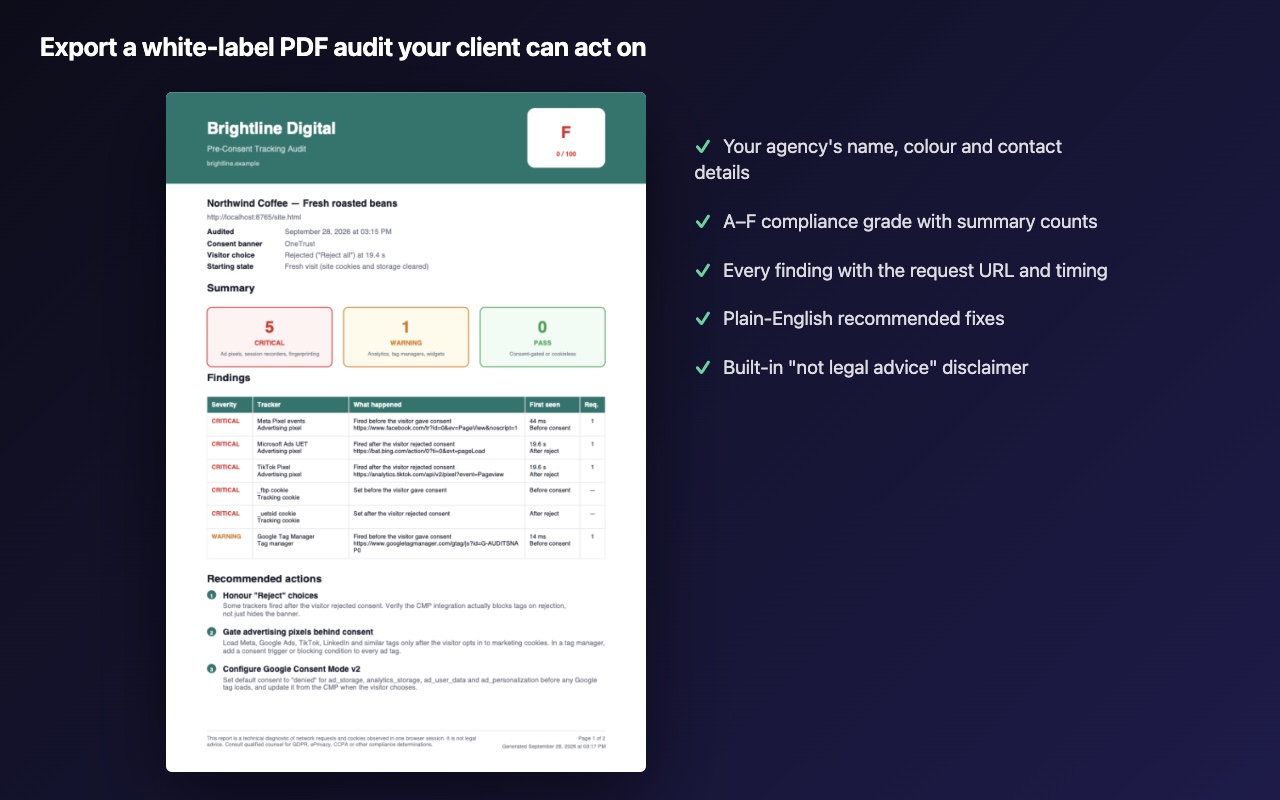
AuditSnap records every ad pixel, session recorder and analytics tag that fires before the cookie banner is answered, and catches the ones that ignore “Reject”. Then it turns the findings into a white-label PDF you can hand to a client.
Free · No account · Nothing leaves your browser · Privacy policy
How it works
One audit, four steps, about a minute.
- 1
Open the site you want to audit
Any public page, staging environment or localhost build.
- 2
Start the audit
Optionally start fresh as a first-time visitor. AuditSnap reloads the page and starts recording.
- 3
Answer the cookie banner
Accept or reject like a real visitor. AuditSnap timestamps the choice.
- 4
Export the report
A graded list of findings on screen, plus a white-label PDF or CSV.
In action
Evidence you can show a client.
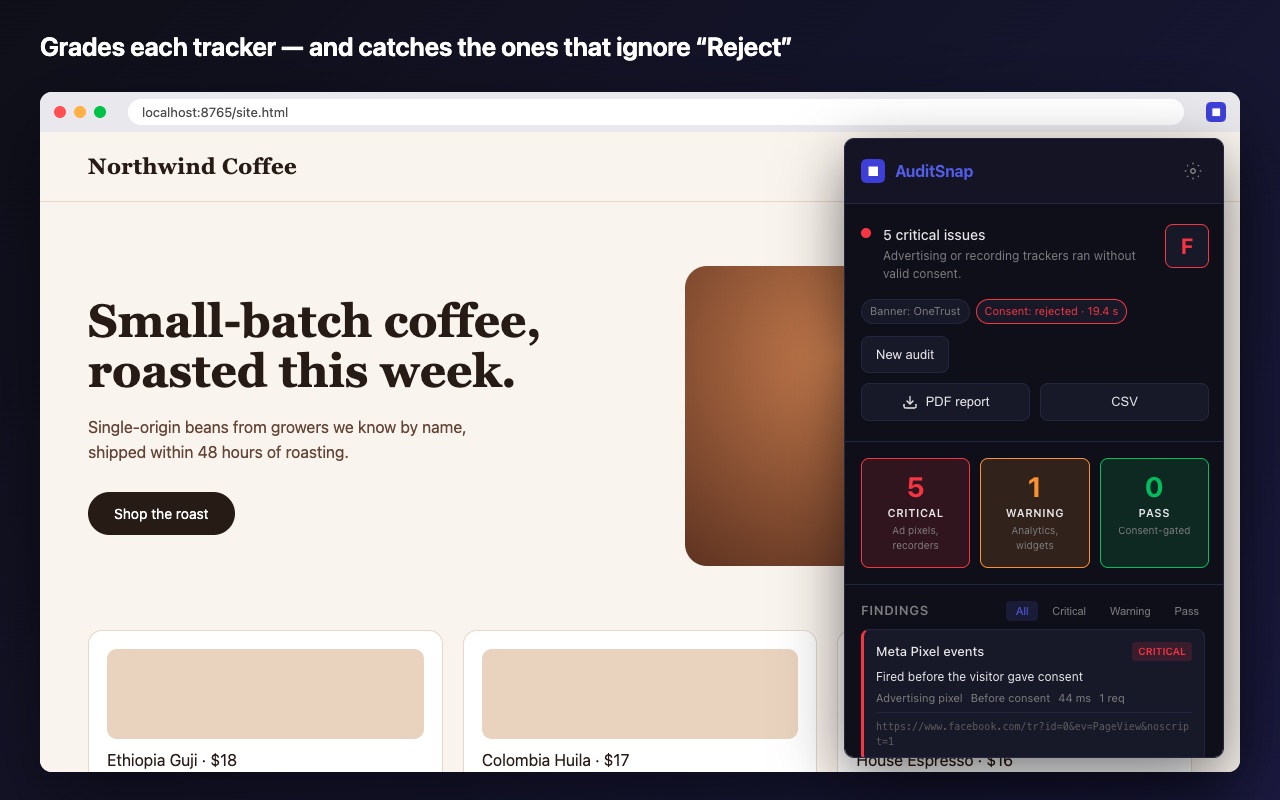
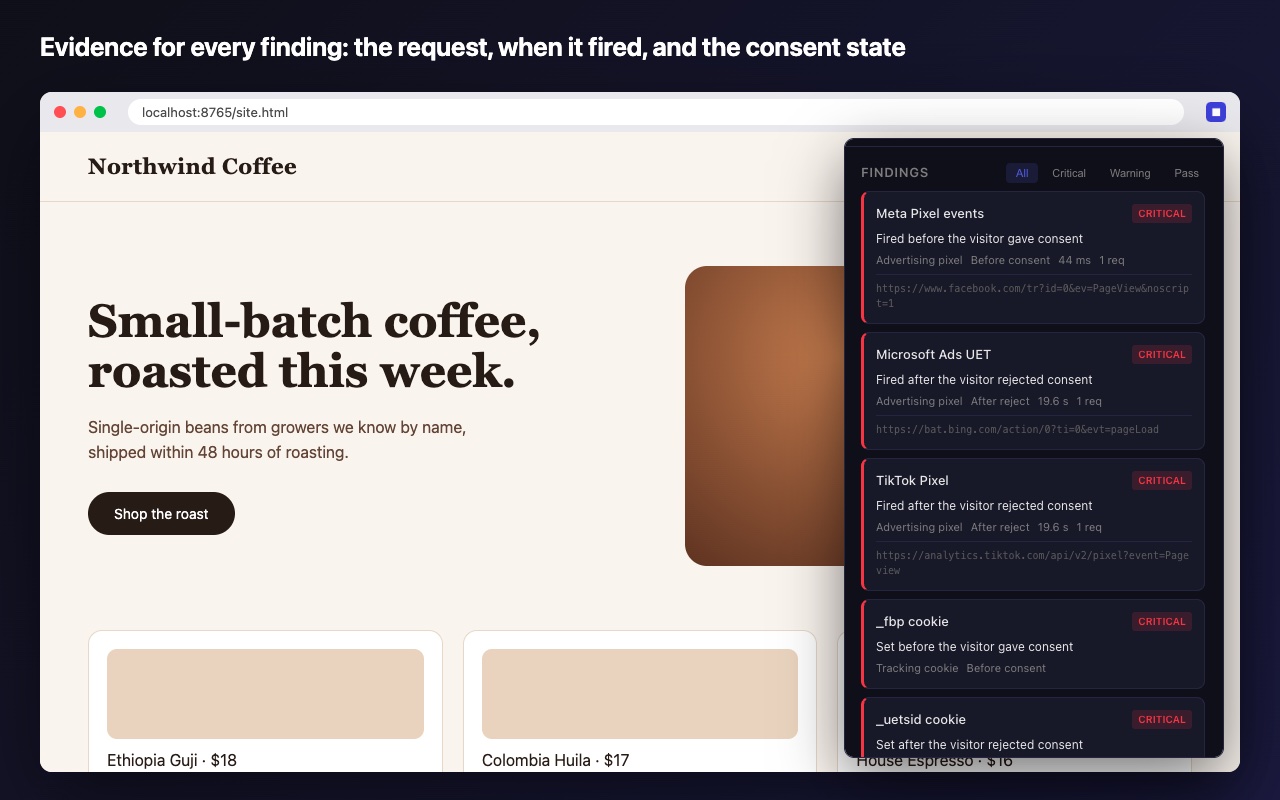
Every finding comes from a real network request or cookie seen in the browser, not a guess from the page markup.
What it checks
Around 70 trackers, cookies and consent banners.
Advertising pixels
Meta, Google Ads, TikTok, LinkedIn, X, Pinterest, Snap, Microsoft Ads, Reddit, Criteo, Taboola and more.
Session recorders
Hotjar, Microsoft Clarity, FullStory, Smartlook, Mouseflow, LogRocket, Lucky Orange, Contentsquare.
Analytics & tag managers
Google Analytics, Google Tag Manager, Segment, Mixpanel, Amplitude, Heap, PostHog, HubSpot, Adobe.
Tracking cookies
Cookies such as _fbp, _gcl_au, _ga or _hjSession set before the visitor chose, or after they rejected.
Google Consent Mode
Consent Mode “denied” pings are graded separately from full tracking, so you don't get false alarms.
Consent banners
Detects OneTrust, Cookiebot, Didomi, Usercentrics, TrustArc, Quantcast, CookieYes and other banners, and records the visitor's click.
Grading
Timing decides the grade, not just presence.
AuditSnap timestamps the visitor's click on the banner, so a tag the banner itself loads after “Accept” passes. The same tag firing on page load fails. Every audit also gets an A–F compliance grade.
- Critical
Ad pixels, session recorders or fingerprinting before consent — or any tracker that fires after the visitor clicked Reject.
- Warning
Analytics, tag managers and chat widgets before consent, and Google Consent Mode “denied” pings.
- Pass
Trackers that load only after the visitor accepted, and cookieless analytics such as Plausible or Fathom.
Privacy
A privacy tool that doesn't collect your data.
AuditSnap only records in a tab after you click Start audit. Results stay in your browser and are deleted when the tab closes, PDFs are generated on your device, and there is no server, account or analytics.
FAQ
Common questions
Is AuditSnap really free?
Yes. Unlimited audits, the white-label PDF and CSV export are free, and you don't need an account.
Does my audit data leave my computer?
No. AuditSnap has no server. Everything happens in your browser, and results are deleted when you close the tab.
Can it audit staging or localhost sites?
Yes. It runs inside your own browser, so it can see any page you can open, including staging, localhost and password-protected sites.
Is the report legal advice?
No. It is a technical record of which requests and cookies appeared in one browser session. Every report says so, and you should have qualified counsel make compliance calls.
Why does it need access to all websites?
Trackers load from third-party domains such as facebook.com or google-analytics.com, so AuditSnap has to be able to see requests to any domain. It only records in a tab after you click Start audit.
Run your first audit in under a minute.
Questions, bug reports or a tracker AuditSnap missed? Email work@rajendracto.com.